Let’s say I want to define a quick function to double a number.
Using LaTeX, I would have to do something like:
\ExplSyntaxOn\cs_new:Npn \double #1 { \int_eval:n { #1 * 2 } }\ExplSyntaxOffThe double of 5 is \double{5}.
But using Typst, all I have to do is:
#let double(x) = x * 2The double of 5 is #double(5).
When I got around to finally drafting my thesis, I noticed the School of Graduate Studies at the University of Toronto only provided thesis templates in Microsoft Word and LaTeX. I know I said I loved Typst, but I didn’t love it enough to make my own template. So I started writing using the LaTeX template in Overleaf. Fast forward a few months later and Overleaf changed their free compile timeouts, which meant I could no longer compile my thesis (Figure 1).
Figure 1: Compile timeout on Overleaf.
Now I know there are options to compile it locally but this was enough friction to ditch LaTeX altogether and spend a few hours making a template in Typst instead.
You can download the source code and start working on your own thesis here.
 I recently discovered Typst, “a new markup-based typesetting system that is designed to be as powerful as LaTeX while being much easier to learn and use”, a few months ago and I’ve been absolutely loving it. The faster compilation and simpler syntax meant that things are more intuitive and I could be more productive at the same time. Here’s a quick example…
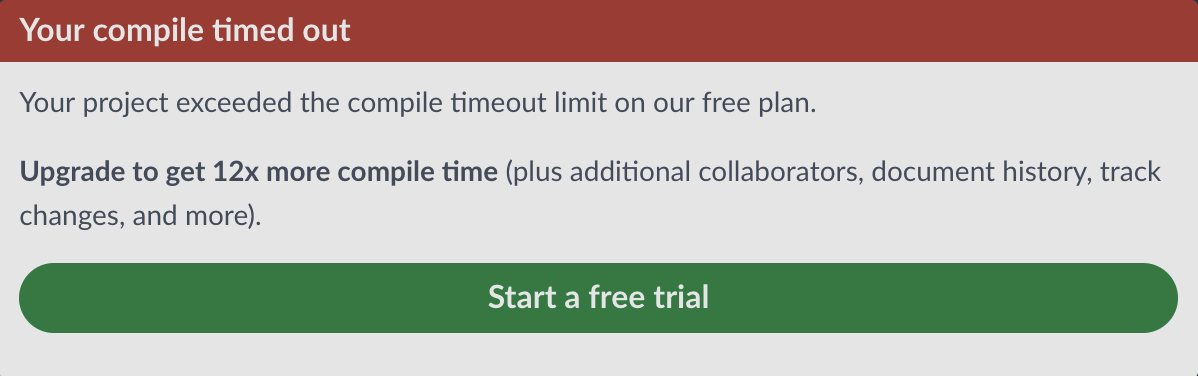 Figure 1: Compile timeout on Overleaf.